For a long time, teams using Azure DevOps have had a familiar setup:
Azure Boards for planning and tracking, and GitHub for source code.
While this combination works really well, one gap always existed — the execution part still needed a human developer to pick up a work item, understand it, write code, and raise a pull request.
That gap is now starting to close.
With the introduction of the GitHub Copilot coding agent and its new integration with Azure Boards, we can now move from work item → code → pull request with far less manual effort. In this blog, I’ll walk through how this integration works, how to use it step by step, and what kind of tasks Copilot can actually handle for you.
Why this integration matters
Most teams already write fairly detailed work items in Azure Boards — bugs, tasks, stories, and tech-debt items. Until now, those descriptions were mainly for humans.
With this integration:
- Your Azure Boards work item becomes the instruction set
- GitHub Copilot acts like a junior developer
- Copilot creates a branch and pull request automatically
- Everything stays linked and traceable
In short: planning stays in Azure Boards, execution starts automatically in GitHub.
High-level flow (before diving into steps)
Here’s the simple mental model:
- You create or update a work item in Azure Boards
- You provide clear, well-written instructions
- You click “Create a pull request with GitHub Copilot”
- Copilot:
- Reads the work item
- Creates a branch
- Makes code changes
- Opens a draft PR
- You review, comment, and iterate — just like with any teammate.
I will showcase how to link Azure Boards with GitHub Copilot in a detailed manner.
Navigate to the Marketplace in the GitHub and Search for Azure Boards.
Why this integration matters
Most teams already write fairly detailed work items in Azure Boards — bugs, tasks, stories, and tech-debt items. Until now, those descriptions were mainly for humans.
With this integration:
- Your Azure Boards work item becomes the instruction set
- GitHub Copilot acts like a junior developer
- Copilot creates a branch and pull request automatically
- Everything stays linked and traceable
In short: planning stays in Azure Boards, execution starts automatically in GitHub.
High-level flow (before diving into steps)
Here’s the simple mental model:
- You create or update a work item in Azure Boards
- You provide clear, well-written instructions
- You click “Create a pull request with GitHub Copilot”
- Copilot:
- Reads the work item
- Creates a branch
- Makes code changes
- Opens a draft PR
- You review, comment, and iterate — just like with any teammate.
I will showcase how to link Azure Boards with GitHub Copilot in a detailed manner.
Navigate to the Marketplace in the GitHub and Search for Azure Boards.
https://github.com/marketplace/azure-boards
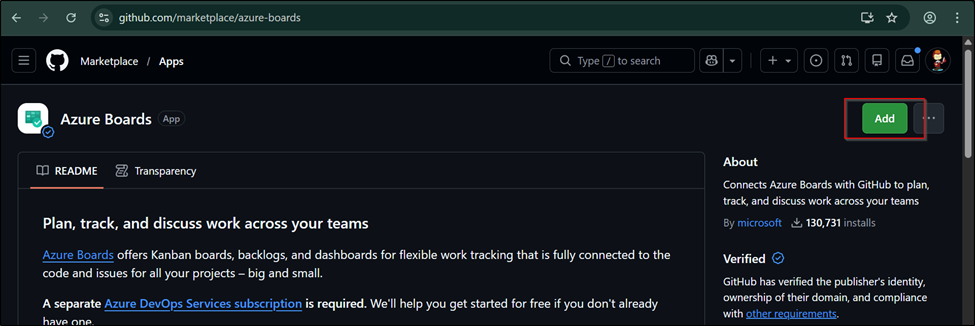
You see add option and once you click over it, you will see the below.
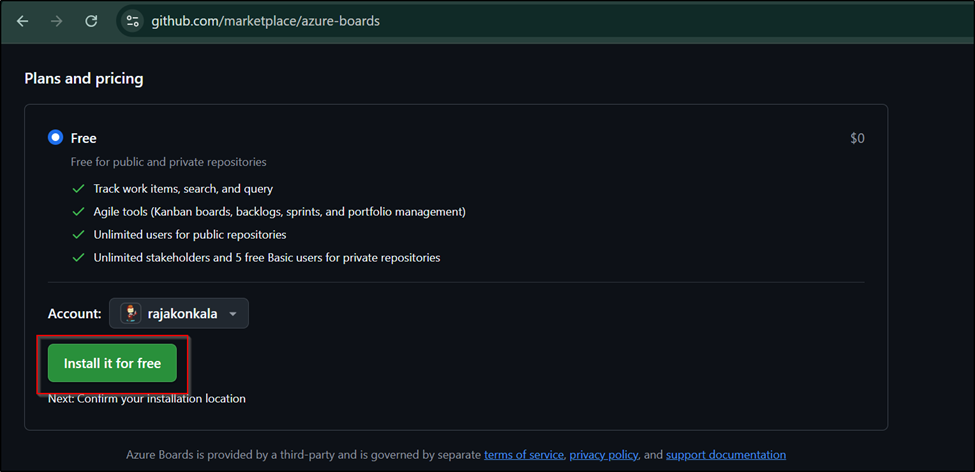
Once you click on Install for free, you will be asked for the billing information.

Once you save the billing information then you will see the below where it will be asking for the Permissions and Repository access.
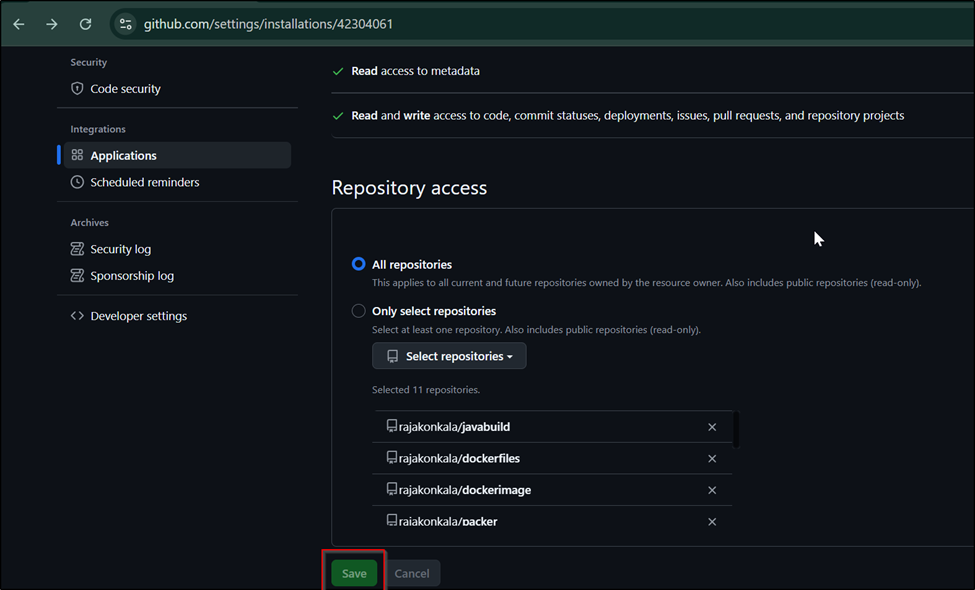
Next you will be asked to choose the Azure DevOps Organization and the Azure Boards project that you want to connect from GitHub.
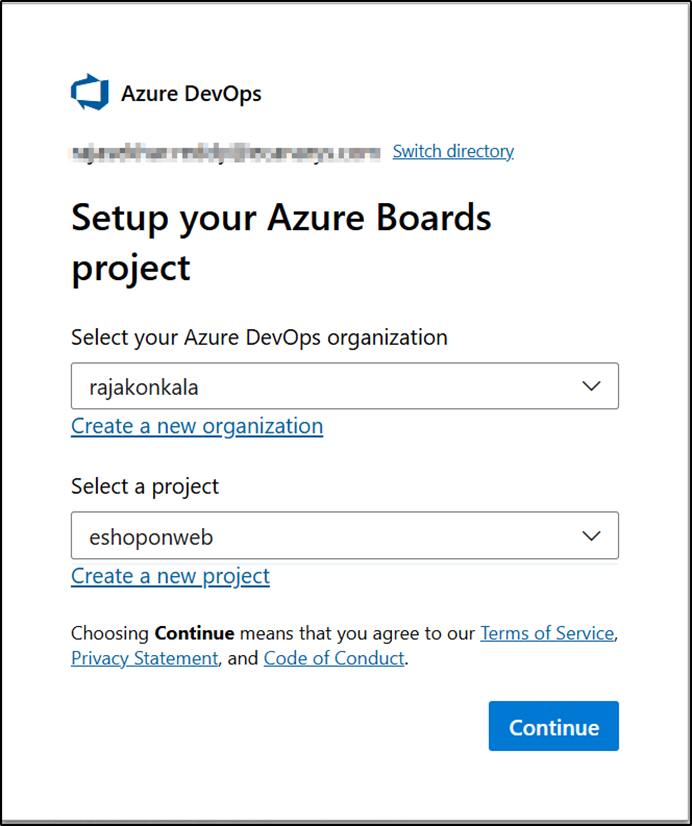
Once you select the organization and the project and click on continue then you will be seeing the below.
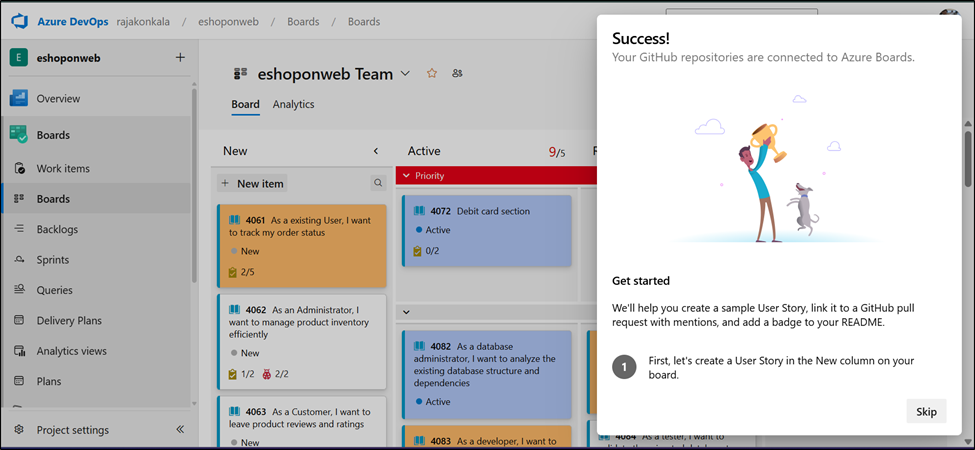
Once the integration is complete, from now you will be seeing the Copilot symbol at the work item as shown below.

From the copilot link you will be able to create a pull request with GitHub Copilot

Once you click on create, a pull request is created and a comment is added by the copilot as shown below.

Depending on the complexity of the changes, copilot coding agent will take some time to create and execute its plan. Once the work is completed, the status is updated over the work item as shown below.

Note:
Before this works end to end, make sure:
- Your repositories are in GitHub
- Azure Boards ↔ GitHub integration is enabled
- Copilot coding agent is enabled on the repo
- Enterprise/Business: Admin must enable it
- Pro / Pro+: Enabled by default
- Azure Boards GitHub App permissions are updated
- This allows Azure Boards to talk to Copilot
Without these, the Copilot option won’t appear on work items.
Final thoughts
This integration changes how planning and execution connect.
Instead of:
“Someone needs to pick this up”
You now have:
“Let Copilot take the first pass”
Azure Boards stays the source of truth, GitHub stays the execution engine, and Copilot becomes a bridge between intent and implementation.
Used correctly, this doesn’t replace developers — it removes friction, speeds up delivery, and lets teams focus on higher-value work.
If you already use Azure Boards and GitHub together, this integration is absolutely worth exploring.
To know more about GitHub maintenance or administrating contact us. If you need assistance on Copilot implementation or any guidance on GitHub, contact us at devopstools@ecanarys.com
Canarys is GitHub Partners providing DevOps solutions using GitHub, Azure DevOps, GitLab, Atlassian, Kubernetes and other devops platforms for customers, covering over 30+ cities across India, APAC, and USA.