
In today’s world almost everything is becoming smarter with AI, so why should Jira stay behind? To keep up with this shift Atlassian has introduced Rovo AI in Jira-bringing intelligent automation directly into everyday workflows to reduce manual work. Jira is not just for tracking issues anymore, it’s now helps teams work better and get things done faster.
What is Rovo AI in Jira?
Rovo AI is a smart AI assistant feature in Jira that helps with everyday tasks. It can help write work items descriptions, summarize comments, suggest what to do next, give quick updates about your project and many more things. This means you spend less time on doing manual work and more time on focusing important work.
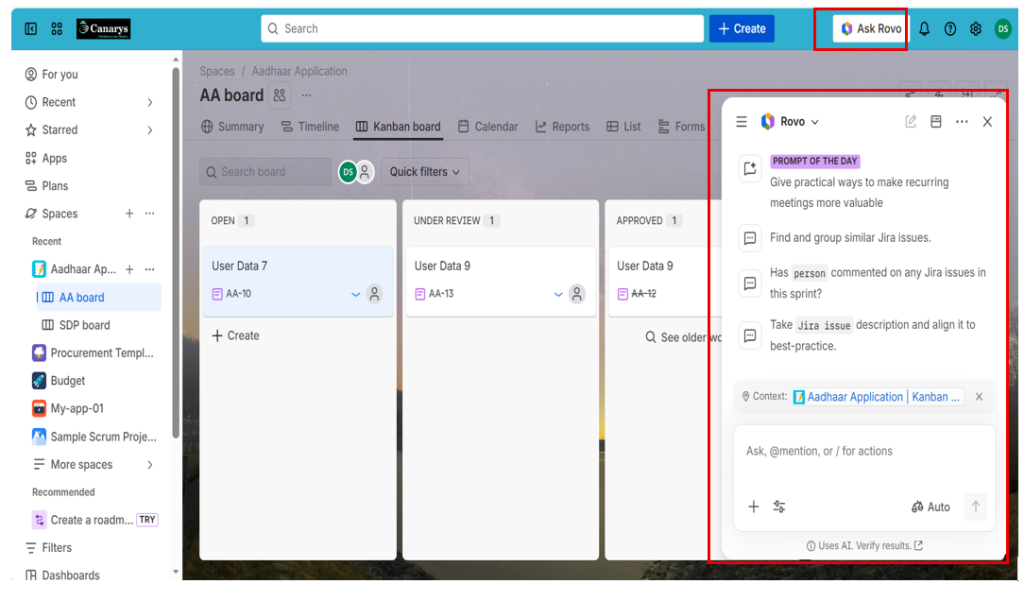
How Rovo AI Helps in Jira?
Now let’s take a closer look at how Rovo AI actually helps in everyday Jira tasks and makes work easier for users.
1). Create and improve Jira work item automatically
One of the most useful features of Rovo AI is its ability to create and improve Jira work items using simple plain english
i). Create work item
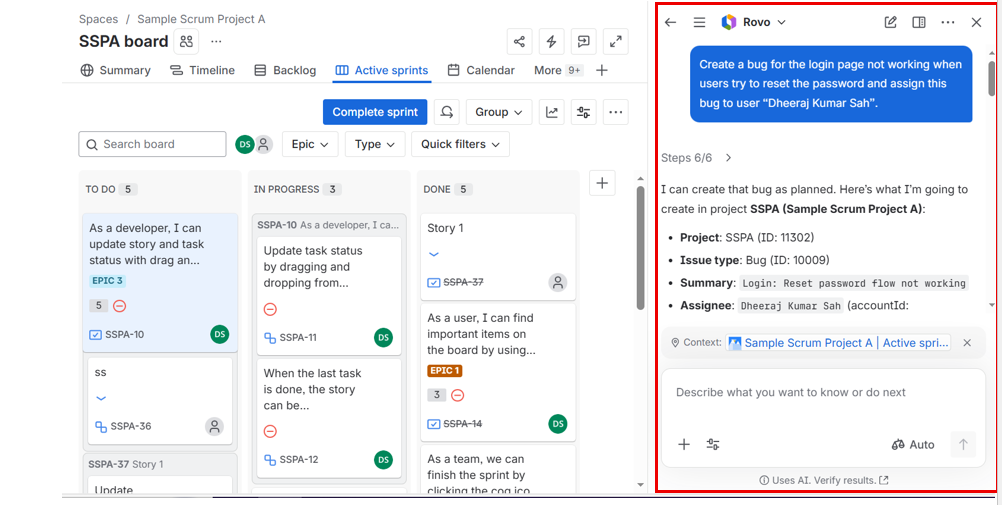
It allow to create work item by just entering the basics details in rovo chat.
Example: Create a bug for the login page not working when users try to reset the password and assign this bug to user “XYZ”.
ii). Improve & summarize work item
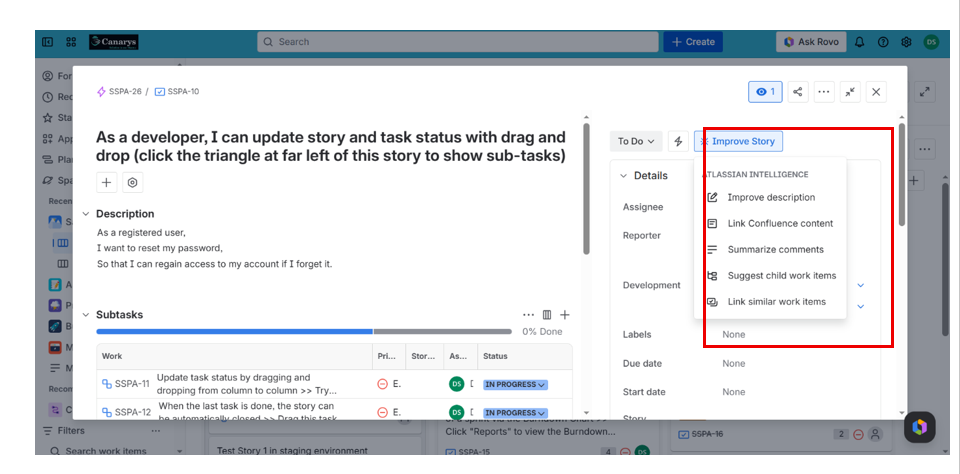
Rovo AI helps you understand Jira work item easily without reading everything manually.
It can:
~ Summarize and improve long descriptions.
~ Summarize all user comments.
~ Suggest smaller child work items from a main work item.
2). Search Jira work items using plain English (instead of JQL)
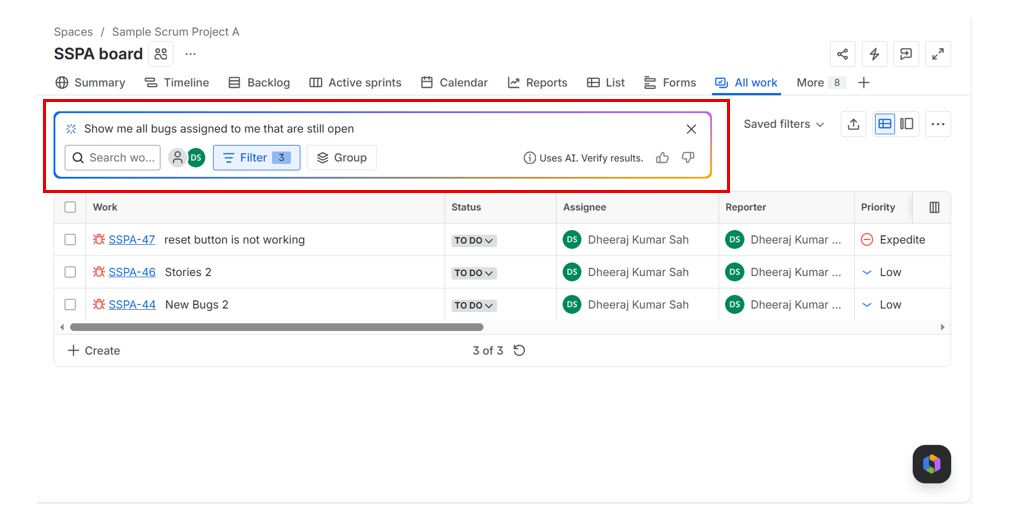
You can find Jira work items without using complex JQL queries by just going to All Work section and entering the simple prompt as:
“Show me all bugs assigned to me that are still open”
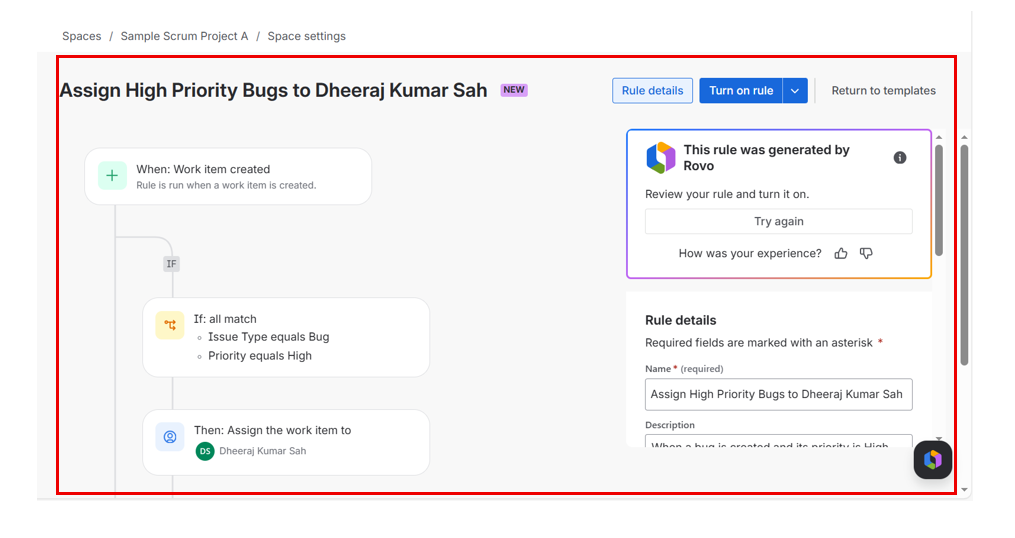
3). Automation rule creation with Rovo AI
You can just describe what you want, and Rovo AI will suggest or build the automation for you.
By going to Space settings → Automation → Create with Rovo, you can simply describe your automation in plain English.
Example: “When a bug is created, if priority is High then assign it to user XYZ”
4). Workflow suggestion and optimization
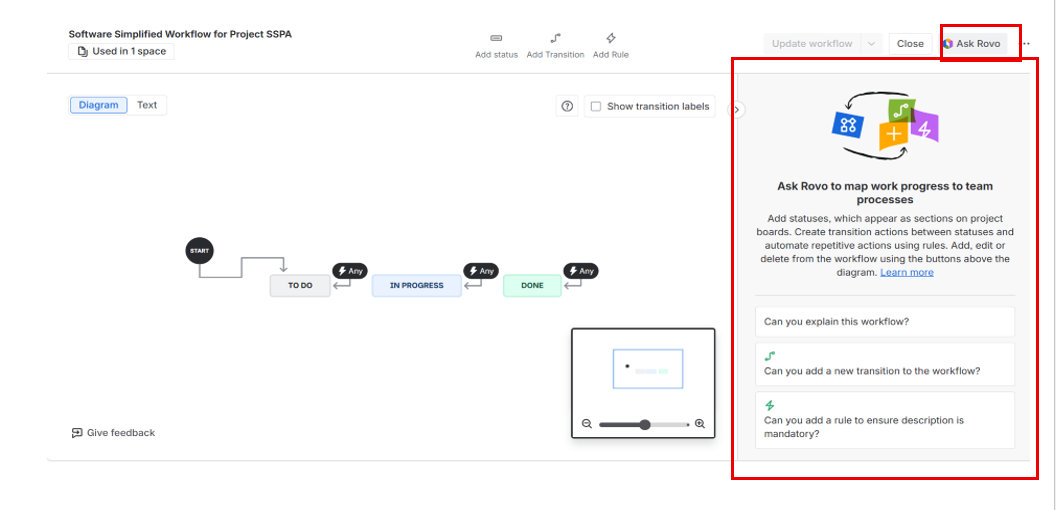
Rovo AI also helps you design and improve your Jira workflow in a simple way. You can ask it to explain your existing workflow so you clearly understand how work items move from one stage to another. It also allows you to ask for suggestions for new statuses, transitions, or workflow rules to make your process more efficient.
You can do this by going to Space settings → Workflow → Edit workflow and then using Rovo AI to make changes.
Conclusion
For beginners, it removes a lot of complexity and makes Jira much easier to use. As AI keeps improving, tools like Rovo AI will become more important in making project work faster and smoother. Overall, it represents a big step toward the future of intelligent project management, where AI works alongside teams to improve speed, accuracy, and collaboration.