
Imagine you’re a Jira administrator, and your project manager asks you to update the custom field value for hundreds of work items before the end of the day.
Your first instinct might be to create a temporary automation rule. But for a one-time task, setting up triggers, conditions, and actions and then remembering to disable or delete the rule afterward feels like unnecessary work. Making the changes manually isn’t much better, especially when hundreds of work items are involved.
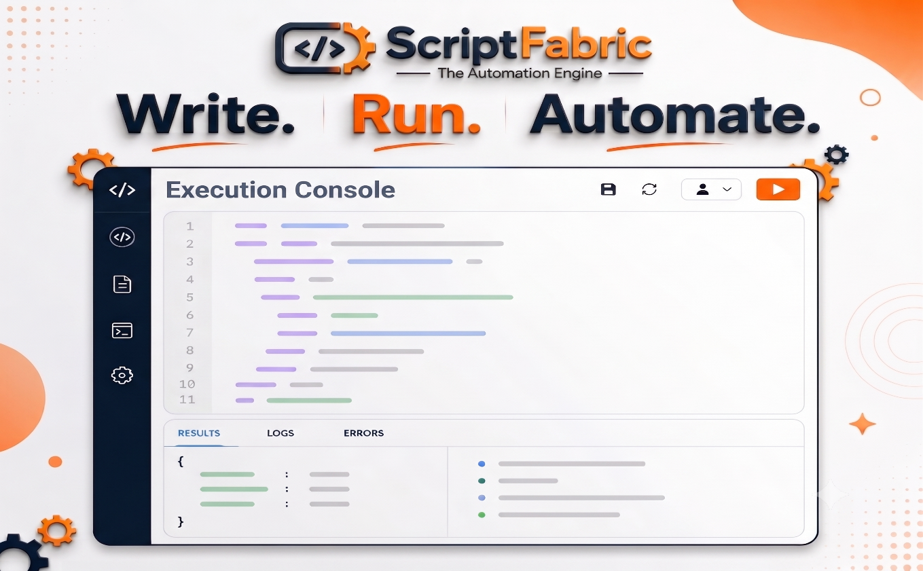
This is where the Execution Console, a powerful feature of ScriptFabric, comes in. Instead of creating temporary automation or modifying existing workflows, you can open the Execution Console, write a JavaScript/TypeScript script, execute it instantly, and immediately review the results. Whether you’re performing bulk updates, generating reports data, fixing incorrect data, or testing automation logic, everything happens in a dedicated scripting workspace inside Jira.
Common Use Cases of the Execution Console
The Execution Console is designed for everyday Jira administration as well as advanced automation development. Some common use cases include:
- Perform one-time operations such as bulk updating Jira issues.
- Fix incorrect or outdated work item data
- Retrieve the required Jira data for custom reporting.
- Query Jira issues using JQL through Canarys HAPI.
- Test automation logic before using it in Event Handlers or Scheduled Events.
- Prototype new automation workflows.
- Debug and experiment with the Canarys HAPI API.
- Validate script logic before using it in automation.
Instead of creating temporary automation rules or modifying existing workflows, you can test your ideas safely and see the results immediately.
Key Features of the Execution Console
- Built-in JavaScript Editor – Write and execute scripts directly.
- Instant Script Execution – Run scripts quickly and validate results instantly.
- Real-Time Logs & Monitoring – Track execution progress and identify issues faster.
- Detailed Output Console – View script results and responses clearly.
- Error Highlighting & Debugging – Detect and troubleshoot script errors easily.
- Jira API Access – Build advanced automation using Jira data and APIs.
A Practical Use Case
The ScriptFabric Execution Console is not limited to testing scripts; it helps Jira administrators solve real-world administration challenges quickly. Here are some practical examples of how it can be used.
Example 1: Bulk Update Custom Fields
Scenario: When business requirements change, updating hundreds of Jira work items manually can become time-consuming and error-prone. The ScriptFabric Execution Console simplifies the process by automatically updating custom field values for all work items that match a specified JQL query.
Expected Output: After running the script, all work items matching the JQL query will have custom field updated. The Results and Logs tabs will display the updated work item keys along with a summary of the operation, making it easy to verify that the update was successful.
Example 2: Add Comments to Work Items
Scenario: Imagine your team is approaching a major release, and you need to remind all developers working on unresolved subtasks across multiple work items to update their progress. Instead of opening each subtask and adding the same comment manually, the ScriptFabric Execution Console can automatically post the comment to every unresolved subtask for all work items that match your JQL query.
Expected Output: After executing the script, a comment is added to every unresolved subtask belonging to the selected work items. Completed or closed subtasks are skipped automatically.
Example 3: Retrieve Jira Data for Custom Reporting
Scenario: Imagine your project manager needs a quick report showing the number of stories in each project before a review meeting. Rather than exporting data and creating the report manually, the ScriptFabric Execution Console can generate the information instantly.
Expected Output: The script retrieves all projects, counts the number of Story work items in each project, and displays the results in the Execution Console. The generated report provides a clear overview of story distribution across projects, helping project managers prepare for review meetings.
Explore More Examples: Refer to the Execution Console documentation for built-in example scripts
Conclusion
The ScriptFabric Execution Console makes Jira scripting faster and easier by providing a single place to write, test, and execute scripts. From bulk updates and custom reports to automation testing, it helps Jira administrators and developers simplify repetitive tasks and work more efficiently.
Want to learn more about ScriptFabric? Explore the ScriptFabric documentation to discover all features and capabilities.
About Canarys Automations
As an Atlassian Gold Partner, we help organizations maximize the value of Atlassian tools through expert implementation, customization, and reliable support across the entire Atlassian ecosystem. Partner with us to enhance collaboration, streamline workflows, and drive business success. Contact us at atlassiansupport@ecanarys.com to get started.