
Every automation challenge starts with the same question: Is Jira Automation enough, or do you need the power of ScriptFabric?
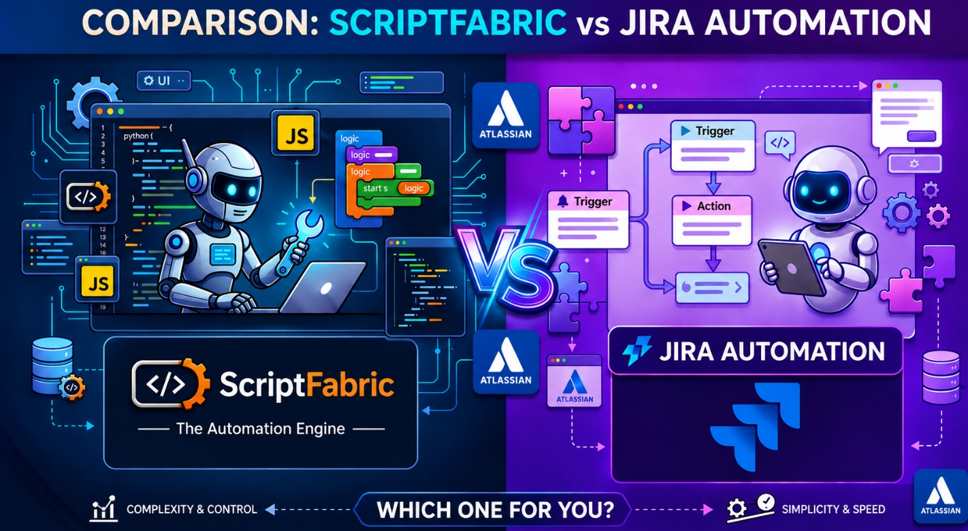
Automation plays a key role in improving productivity and efficiency for teams using Jira. As automation needs grow, two common approaches are Jira Automation and ScriptFabric. While both help streamline workflows and reduce manual effort, they are designed for different types of automation. Understanding when to use each solution is key to building efficient, scalable, and maintainable Jira automations.
What is Jira Automation?
Jira Automation is Atlassian’s built-in feature that allows teams to automate repetitive tasks and streamline workflows using a no-code, rule-based approach. It helps users create automation rules for actions like issue updates, notifications, and workflow changes without writing scripts.
Key Features:
- no-code, rule-based automation: Create automation rules by defining simple conditions and actions.
- Automatic Task Execution: Trigger actions automatically when events occur, such as issue creation, status changes, or field updates.
- Cross-Project Automation: Apply automation rules across multiple Jira projects from a single setup.
- Audit Log: Track executed rules and troubleshoot issues quickly
What is ScriptFabric?
ScriptFabric is a powerful Jira app developed by Canarys Automations Limited. It extends Jira’s native automation and customization capabilities by enabling administrators and teams to create custom scripts using JavaScript /TypeScript for complex workflows, advanced business logic, and process automation.
Key Features:
- Custom Scripting: Create advanced automation and business logic using JavaScript and TypeScript.
- Workflow Customization: Add custom validators, conditions, and post-functions to enhance and control Jira workflows.
- Dynamic Forms: Show or hide fields, make fields mandatory, and set default values based on user selections.
- Event-Based Automation: Automatically perform actions when Jira events occur, such as issue creation, updates, or status changes.
- Bulk Operations: Clone, transition, update, or delete multiple issues at once, saving time on administrative tasks.
- Scheduled Jobs: Run recurring tasks and automated processes at predefined intervals.
- Audit Log: Track executed rules and troubleshoot issues quickly
Limitations of Jira Automations:
- Limited Customization: Complex business logic can be challenging to implement.
- Execution Limits: Jira Cloud limits the number of automation executions based on your subscription plan.
- No Scripting Support: Limited flexibility for highly technical use cases.
How ScriptFabric Helps Overcome These Limitations
ScriptFabric extends Jira’s automation capabilities by providing:
- Advanced Customization: Build complex business logic and customized workflows using JavaScript/TypeScript.
- Greater Automation Flexibility: Create event-based automations and scheduled jobs without relying only on standard automation rules.
- Custom Scripting Capabilities: Perform advanced data processing, transformations, and integrations with greater control.
When Jira Automation Is the Right Choice
Jira Automation is a great fit for common administrative and workflow tasks, such as:
- Your team needs simple and easy-to-manage automation.
- You prefer a no-code solution for automating routine tasks.
- Your workflows mainly involve standard triggers, notifications, and status updates.
- You want to use Jira’s built-in automation capabilities without additional apps or costs.
Ideal for: Small to mid-sized teams looking for quick and easy workflow automation with minimal setup.
When ScriptFabric Adds More Value
ScriptFabric is a good fit if:
- You need advanced automation and workflow customization.
- Your business processes require custom scripting using JavaScript or TypeScript.
- You want dynamic forms, custom validators, and event-driven automation.
- You want to perform advanced data processing and transformations
- You want greater flexibility and control over your Jira environment.
Ideal for: Teams and enterprises looking for greater flexibility, customization, and control over their Jira environment.
Working Together
Rather than replacing Jira Automation, ScriptFabric can complement it.
A common approach is to use Jira Automation for simple, event-driven tasks and leverage ScriptFabric for advanced processing and sophisticated business logic. This allows teams to keep simple automations easy to manage while using ScriptFabric where greater flexibility and control are needed.
About Canarys Automations
As an Atlassian Gold Partner, we help organizations maximize the value of Atlassian tools through expert implementation, customization, and reliable support across the entire Atlassian ecosystem. Partner with us to enhance collaboration, streamline workflows, and drive business success. Contact us at atlassiansupport@ecanarys.com to get started.