
Simplify Request Forms with Dynamic Fields, Conditional Mandatory Requirements, and Automatic Calculations
Jira Service Management (JSM) customer portals often contain multiple fields that may not be relevant to every request. This can make forms complex and lead to incomplete submissions.
With ScriptFabric Behaviours, organizations can dynamically customize forms by showing or hiding fields, making fields mandatory, and automatically calculating values based on customer inputs.
Let’s explore two practical use cases.
Use Case 1: Dynamic Field Visibility Based on Request Type
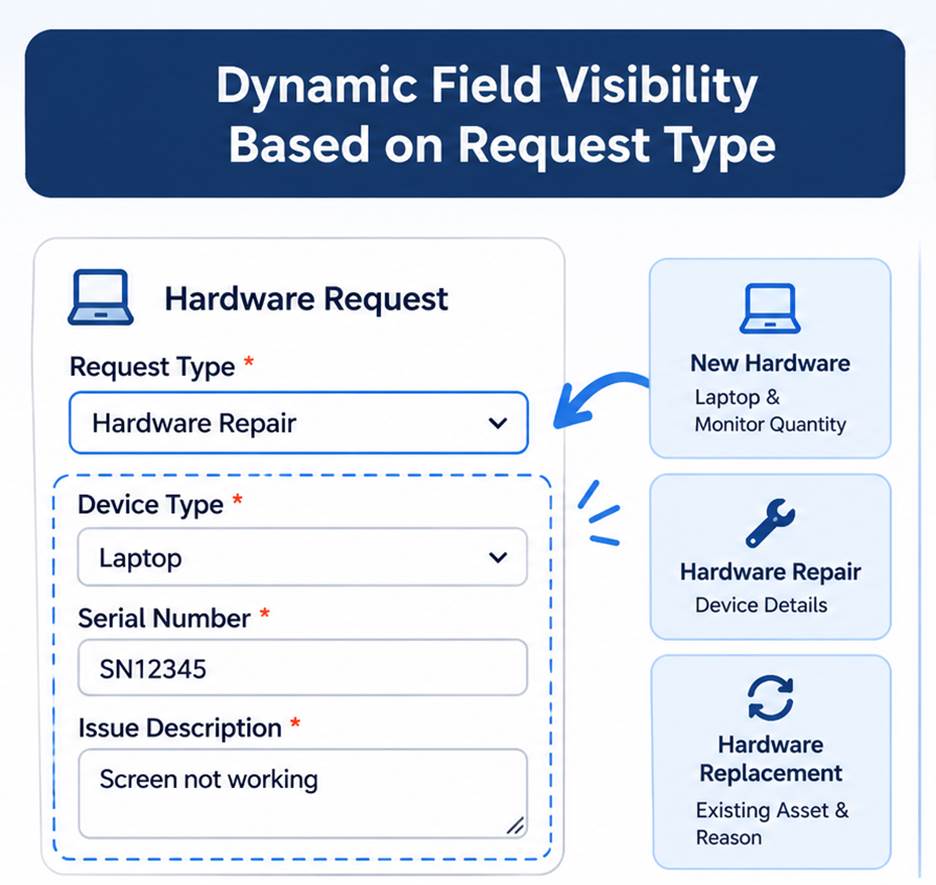
Consider an organization handling hardware requests through JSM. Depending on the selected request type, different information is required.
How Does It Work?
- Create a Hardware Request form in JSM.
- Add fields for Request Type, Laptop Quantity, Monitor Quantity, Device Type, Serial Number, and Replacement Reason.
- Configure ScriptFabric Behaviours to control field visibility.
- Display relevant fields automatically based on the customer’s selection.
Example Behaviour
| Request Type | Fields Displayed |
| New Hardware | Laptop Quantity, Monitor Quantity |
| Hardware Repair | Device Type, Serial Number, Issue Description |
| Hardware Replacement | Existing Asset, Replacement Reason |
ScriptFabric can also make specific fields mandatory depending on the selected request type.
Benefits:
- Simplify customer portal forms.
- Display only relevant fields.
- Reduce incomplete submissions.
- Minimize manual follow-ups.
Use Case 2: Automatically Calculate Values Based on Field Inputs
Organizations often need to calculate totals based on multiple customer inputs.
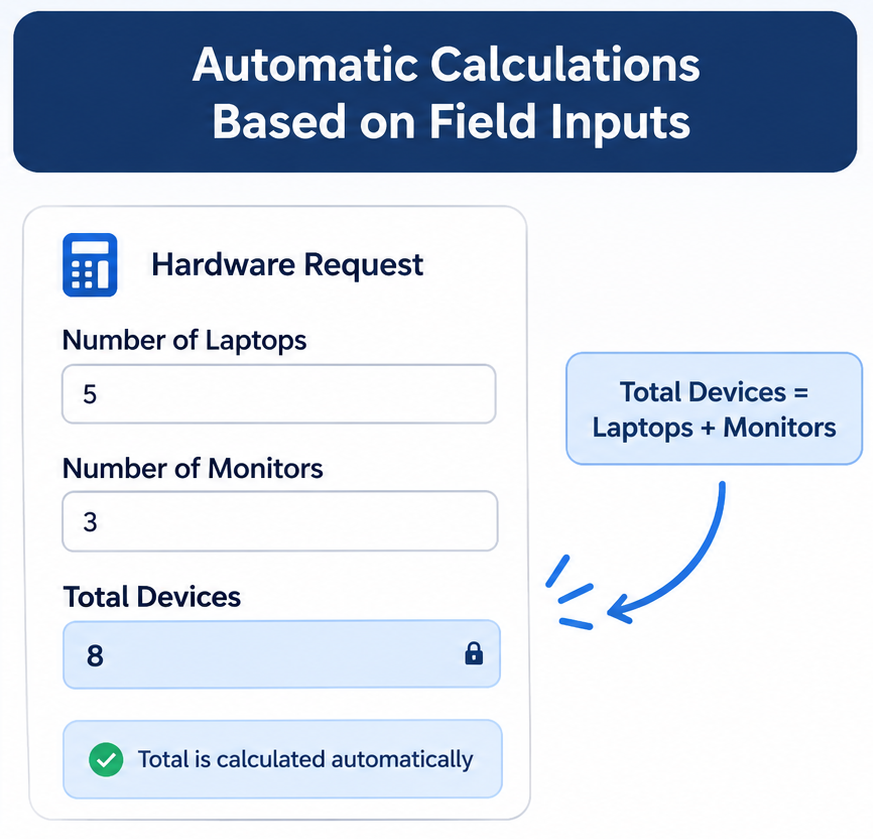
For example, when requesting hardware, customers may need to enter laptop and monitor quantities.
Example Scenario
| Field | Example Value |
| Number of Laptops | 5 |
| Number of Monitors | 3 |
| Total Devices | 8 |
How Does It Work?
- The customer enters the laptop quantity.
- The customer enters the monitor quantity.
- ScriptFabric detects changes to either field.
- The total is automatically calculated and populated in the Total Devices field.
Calculation: 5 Laptops + 3 Monitors = 8 Total Devices.
The calculated field can also be configured as read-only.
Other applications include calculating total licenses, estimated costs, and equipment quantities.
Benefits:
- Eliminate manual calculations.
- Improve data accuracy.
- Reduce incorrect entries.
- Simplify request submission.
How ScriptFabric Behaviours Help
| Capability | Purpose |
| Field Visibility | Show or hide fields dynamically |
| Mandatory Fields | Make fields required or optional |
| Field Change Events | Respond to customer selections |
| Field Value Updates | Automatically populate calculated values |
| Read-Only Fields | Prevent manual modifications |
Build Smarter JSM Forms with ScriptFabric
ScriptFabric Behaviours help organizations create dynamic Jira Service Management forms that adapt to customer selections, enforce business rules, and automatically calculate values.
Whether for hardware procurement, employee onboarding, or access requests, organizations can simplify request submission and improve data quality.
Ready to build smarter JSM experiences?
Discover how ScriptFabric can extend Jira Service Management with dynamic field customization and JavaScript-based automation.
Explore ScriptFabric and start building smarter Jira workflows today.Learn more: ScriptFabric Documentation
About Canarys Automations
As an Atlassian Gold Partner, we help organizations maximize the value of Atlassian tools through expert implementation, customization, and reliable support across the entire Atlassian ecosystem. Partner with us to enhance collaboration, streamline workflows, and drive business success. Contact us at atlassiansupport@ecanarys.com to get started.